


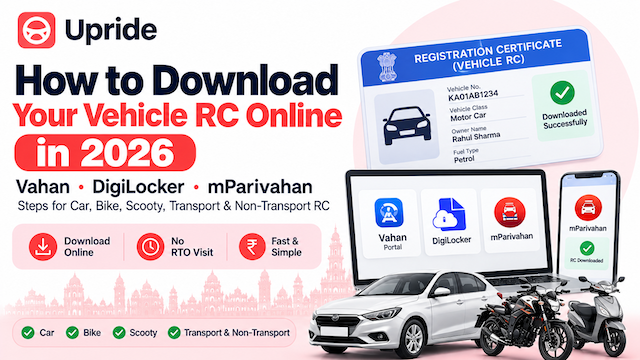
Misplaced your RC book, or just tired of carrying the smart card everywhere? You don't need to visit an RTO to get a valid copy anymore. Your Registration Certificate (RC) — the document that proves your vehicle is legally registered — can be downloaded online in a few minutes, and it's accepted by traffic police the same way a physical card is.
Here's exactly how RC download works, whether you're doing a car RC download, a bike RC download online, or a scooty RC download, and what changes if your vehicle is registered as a transport (commercial) vehicle instead of a private one.
Method 1: RC download on the Vahan / Parivahan portal
The government's own print-RC service is the most direct route:
Open the Vahan RC print service
Enter your vehicle's registration number and the last 5 digits of the chassis number
Verify with the OTP sent to your registered mobile number
Once verified, your RC details are displayed on screen — download or print the PDF
This works identically for two-wheelers and four-wheelers — there's no separate "bike RC download" or "car RC download" portal, just the same Vahan form.
Method 2: RC download via DigiLocker
DigiLocker pulls your RC directly from the Vahan database and stores it as a verified digital document:
Go to DigiLocker and sign in with Aadhaar-based OTP
Search for "Registration of Vehicles" under issued documents
Enter your vehicle number and pull the document into your DigiLocker
Documents fetched into DigiLocker are legally valid under the IT Act, so a scooty RC download saved here holds up during a traffic check exactly like the physical card.
Method 3: mParivahan app
The mParivahan app offers the same RC download inside a mobile-first interface — add your vehicle using its registration number, and the app fetches and stores an encrypted digital copy for offline access.
Transport vs Non-Transport RC download — what's the difference?
This trips up a lot of people. Your RC download will show your vehicle under one of two categories:
Non-transport vehicles — private cars, bikes, and scooters used for personal use. RC renewal is due every 15 years (then every 5 years after that).
Transport vehicles — vehicles used commercially to carry goods or passengers for hire (taxis, autos, trucks, buses). These need annual/biennial Fitness Certificate renewal alongside the RC, and the RC itself typically needs renewal every 2 years for older commercial vehicles.
The RC download process is the same either way — the vehicle category is simply a field already recorded in your Vahan record.
FAQs
Is a downloaded RC PDF as valid as the smart card? Yes. RCs fetched from Vahan through DigiLocker or mParivahan are legally valid nationwide under MoRTH guidelines.
Can I download RC without OTP? No — OTP verification on your registered mobile number is mandatory on all three platforms, since it confirms you're accessing your own vehicle's record.
What if my mobile number isn't linked to my RC anymore? You'll need to update it via Aadhaar authentication on Vahan before you can complete the OTP step — this is a common reason RC downloads fail after a vehicle resale.
Can I download RC for a vehicle that isn't in my name yet? No — if the ownership transfer is still pending, the RC will keep showing the previous owner until the transfer is completed. See Upride's RC transfer guide if that's your situation.
My RC shows old details — how do I fix that? Errors in your RC (address, engine number, name) need a correction application at your RTO before a fresh download will reflect the right details. If your RC is also due for renewal, Upride's FC & RC renewal guide covers that process.
If your RC download keeps failing, or the details on it don't match your paperwork, message Upride on WhatsApp — Bangalore's team can check your Vahan record and sort out the correction or renewal before you try again.