

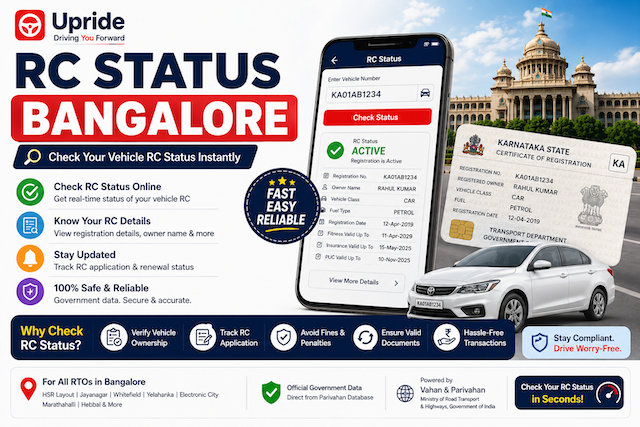
If you own a vehicle in Bangalore, your Registration Certificate (RC) is one document you can't afford to ignore. It proves ownership, and traffic police can ask for it during routine checks. Here's a simple guide to checking your RC status, along with transfer, duplicate, and renewal — the way it actually works in Bangalore.
How to Check RC Status Online
You can check your RC status through the official Vahan portal in a few steps:
1. Visit vahan.parivahan.gov.in.
2. Go to "Know Your Vehicle Details" or "Application Status" under Online Services.
3. Enter your vehicle registration number (for example, KA01AB1234).
4. Enter the captcha and submit.
5. Your RC status, owner details, and registering RTO will appear on screen.
6. You can also use the mParivahan app for the same information on your phone, without opening a browser.
RC Transfer: What It Involves
If you've bought a used vehicle, the RC needs to be transferred to your name. This involves submitting Form 29 and Form 30, along with the seller's NOC, insurance copy, and PUC certificate, to the RTO where the vehicle is registered. Once verified, the RTO updates the ownership record, and you can track this transfer status the same way you check regular RC status — using your vehicle number on the Vahan portal.
Duplicate RC: If You've Lost Yours
Lost or damaged your RC? Here's what to do:
File a police complaint and get an acknowledgment copy.
Submit Form 26 along with the complaint copy at your RTO.
Pay the applicable fee.
The RTO verifies your vehicle records and issues a duplicate RC.
This process typically takes a couple of weeks, depending on RTO workload.
RC Renewal: Don't Miss the Deadline
RCs for private vehicles are valid for 15 years, after which renewal is mandatory. The process involves a vehicle fitness check, submitting the renewal form, and paying the applicable fee. Missing your renewal deadline can lead to penalties, so it's worth tracking this well in advance.
Why This Gets Complicated in Bangalore
Bangalore has multiple RTOs — Koramangala, Rajajinagar, Yeshwanthpur, Indiranagar, and others — each handling a different set of vehicle registration zones. Knowing which RTO your vehicle falls under, and following up correctly, is where most people get stuck. A single missing document or a wrong form can send you back to square one.
How Upride Makes This Easier
This is exactly the gap Upride's RTO team fills. Instead of figuring out forms, RTO zones, and follow-ups yourself, Upride assigns you a dedicated RTO consultant who handles your RC status check, RC transfer, duplicate RC, or RC renewal from start to finish — across all Bangalore RTOs.
Here's what makes it simpler:
No queues. You don't need to visit the RTO yourself for most services.
Check RC status directly in the Upride app — no need to jump between Parivahan and Vahan portals.
WhatsApp updates on request. If you'd rather get updates on WhatsApp, your consultant keeps you posted at every stage — document verification, RTO processing, and final approval.
Coverage across all Bangalore RTOs, so it doesn't matter which zone your vehicle is registered under.
FAQs
How long does an RC transfer take in Bangalore? Usually 2–3 weeks, depending on the RTO and document readiness.
Can I check RC status without visiting the RTO? Yes, through the Vahan portal, mParivahan app, or the Upride app.
Does Upride handle RC services for all Bangalore RTOs? Yes, Upride's RTO team covers all RTO zones across Bangalore.
Can I get WhatsApp updates on my RC application? Yes, just request it, and your assigned consultant will update you on WhatsApp at each stage.